Game Stylized Building Concept Art



TRAILER https://www.youtube.com/watch?v=-8z_3IxMemY
Any question just let me know: pedrodeelizaldeart@gmail.com -
This tutorial has 2 versions, you can see them in the upper right of the page
One version includes design sketching + Blender Tutorial for beginners + finish painting in Photoshop on top of the 3D model you made yourself. The oher one is same but without Blender Tutorial
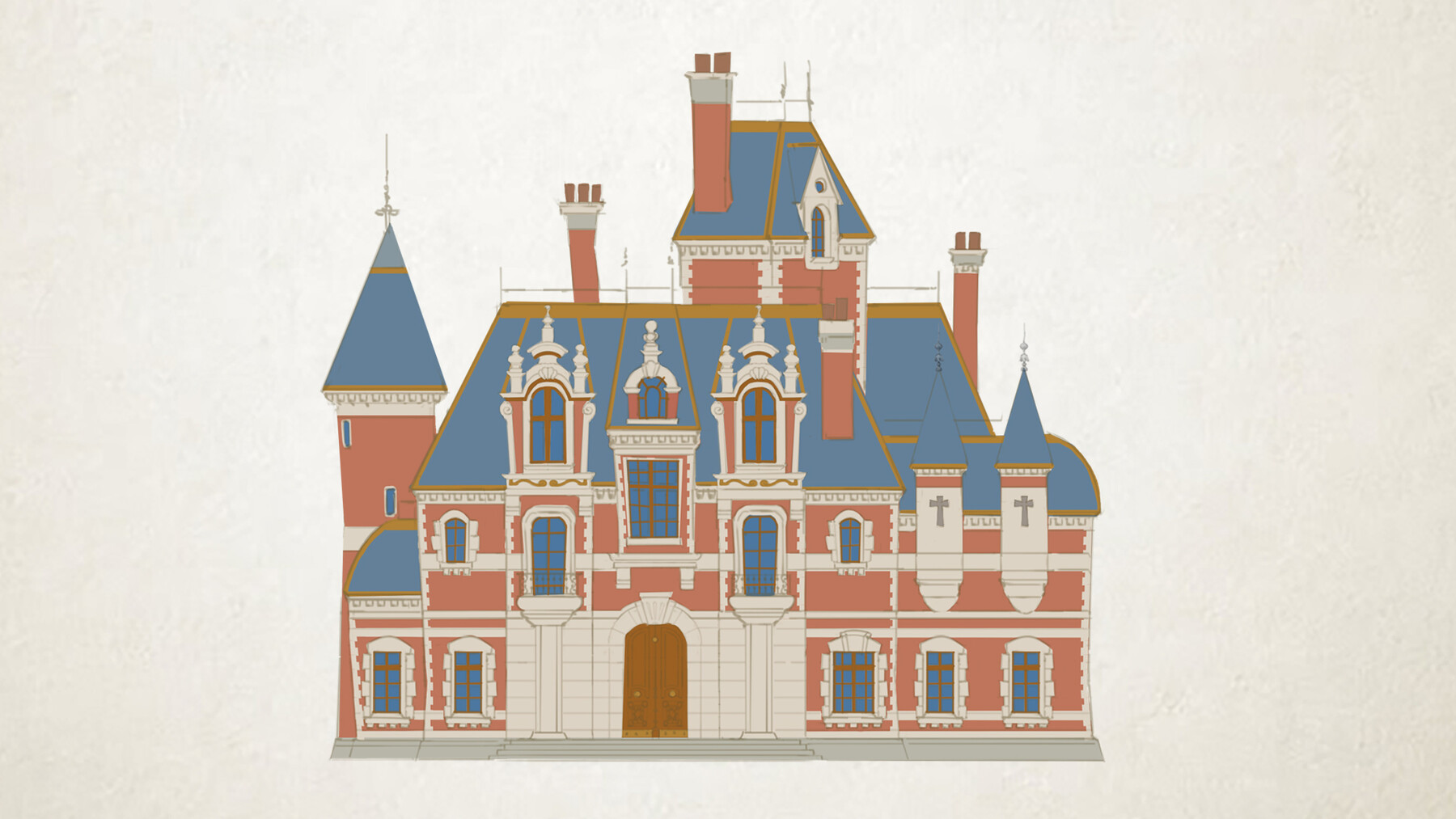
What You'll Learn : design a stylized building useful for either game production, children’s book storytelling, animation projects or any other project that requires stylized architecture.
Whether you are just starting at concept art or you already have some years of experience, this tutorial will be great value for understanding principles of stylized architecture and knowing how to follow those unique details in order to maintain a consistent style throughout your designs.
By the end of this Class: you will not only understand the necessary tools in Blender to model your own buildings but also you will end up with a professional looking image ready to be added to your portfolio.
Now we have AI, Why should i learn this : AI is good at rendering amazing images in seconds but when it comes to close-up details, maintain the same style and shape language you can get stuck. You need to be able to show in detail where the window connects with the building, how the texture looks, is the texture going to be realistic? or stylized with bigger shapes? Will your edges be hard in some areas and soft in other areas? Will the door be almost the same size of the character, yes? Why? Then the rest of the buildings in your game, book or animation film should follow same style. Understanding the foundation of stylized art will help you to have more believable designs and not just a shiny AI image that lacks of functionality.
For your class project you can model and paint a Stylized Building with the technique shown in the class. Along with 3 Studys based on your type of architecture, 3 sketches from imagination and 1 color sketch. Feel free to also share an image of your 3D model if you want also.
What you’ll need for this class: Blender ( you can download for free from website ) and Photoshop.
What we'll Do:
Organize references
Realistic to Stylized excercise
Studies to understand the architecture we want to achieve
Imagination sketches
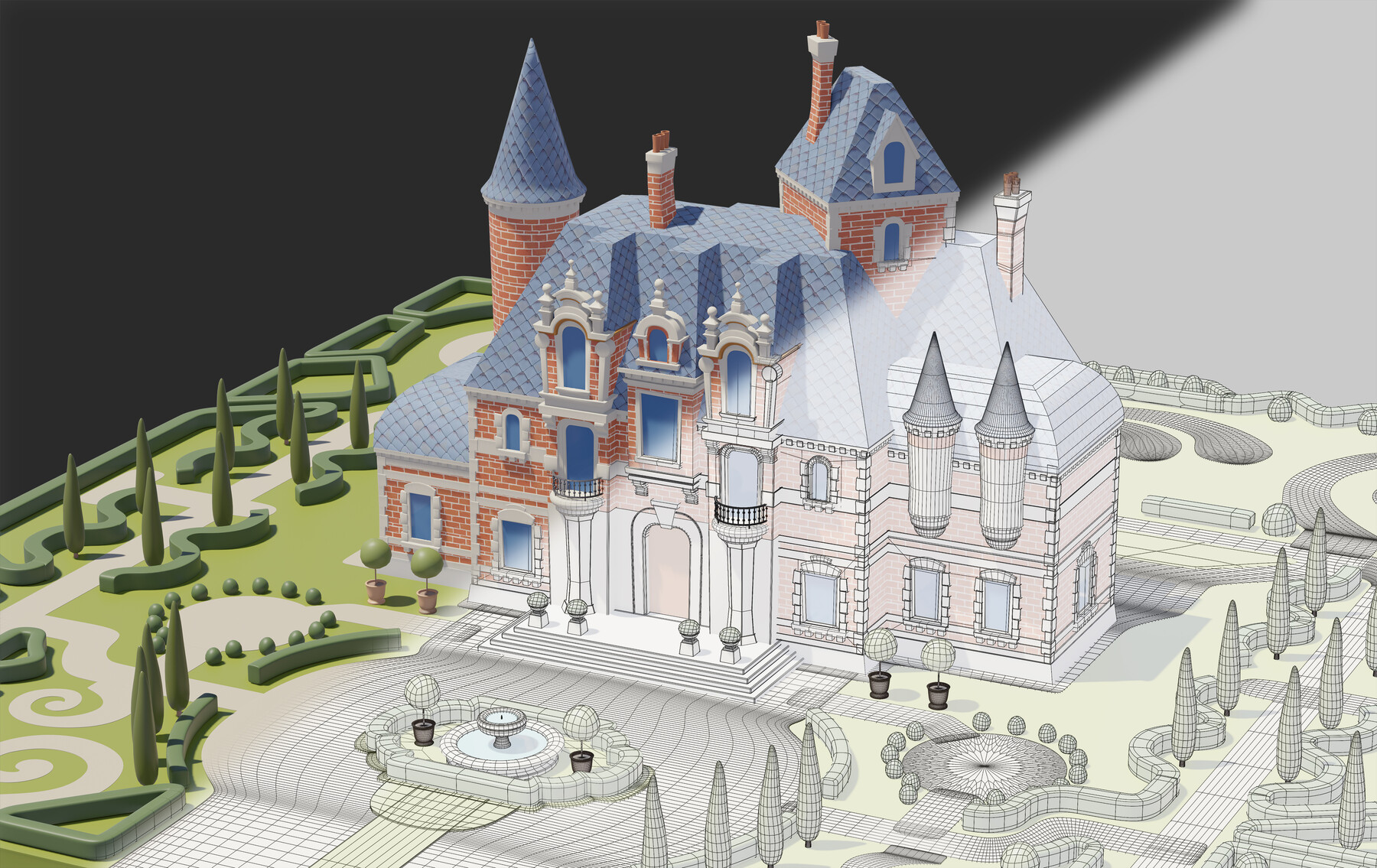
I will teach you how to use Blender to model your own building based on your sketches
Export render passes for easy painting in Photoshop
Import renders into Photoshop and appy shadows
Adding dynamic texture to each color
Adding extra lines of details that we didn't do in the 3d
Finials design and placing them
Hand paint to erase the 3D fake look
Garden vegetation painting and modeling
Projects files : final JPG and sketches for reference, textures used in my scene, architecture types, 3D Scene FBX ( open Blender and go to FILE-IMPORT-FBX to view it)
If you can leave a review i would really appreciate it!, it would motivate me to keep doing more tutorials and also learn better ways to teach different ways for creating art.
This tutorial has 2 versions, you can check my profile for both versions
This version includes design sketching + Blender Tutorial for beginners + finish painting in Photoshop on top of the 3D model you made yourself.
What You'll Learn : design a stylized building useful for either game production, children’s book storytelling, animation projects or any other project that requires stylized architecture.
Whether you are just starting at concept art or you already have some years of experience, this tutorial will be great value for understanding principles of stylized architecture and knowing how to follow those unique details in order to maintain a consistent style throughout your designs.
By the end of this Class: you will not only understand the necessary tools in Blender to model your own buildings but also you will end up with a professional looking image ready to be added to your portfolio.
Now we have AI, Why should i learn this : AI is good at rendering amazing images in seconds but when it comes to close-up details, maintain the same style and shape language you can get stuck. You need to be able to show in detail where the window connects with the building, how the texture looks, is the texture going to be realistic? or stylized with bigger shapes? Will your edges be hard in some areas and soft in other areas? Will the door be almost the same size of the character, yes? Why? Then the rest of the buildings in your game, book or animation film should follow same style. Understanding the foundation of stylized art will help you to have more believable designs and not just a shiny AI image that lacks of functionality.
For your class project you can model and paint a Stylized Building with the technique shown in the class. Along with 3 Studys based on your type of architecture, 3 sketches from imagination and 1 color sketch. Feel free to also share an image of your 3D model if you want also.
What you’ll need for this class: Blender ( download for free at https://www.blender.org/download/ ) and Photoshop.
What we'll Do:
Organize references
Realistic to Stylized excercise
Studies to understand the architecture we want to achieve
Imagination sketches
I will teach you how to use Blender to model your own building based on your sketches
Export render passes for easy painting in Photoshop
Import renders into Photoshop and appy shadows
Adding dynamic texture to each color
Adding extra lines of details that we didn't do in the 3d
Finials design and placing them
Hand paint to erase the 3D fake look
Garden vegetation painting and modeling
Projects files : (you can find them at the end of this page): final JPG and sketches for reference, textures used in my scene, architecture types, 3D Scene FBX ( open Blender and go to FILE-IMPORT-FBX to view it)
Still have a question ? You canask me directly at pedrodeelizaldeart@gmail.com
Release Notes
Project Files added